SYS TRAINING / THE SIMULATOR COLLECTION

Build confidence.
Before you’re
on deck.

Start practising with Tender Trainer. Explore what’s next in navigation, watchkeeping and deck operations.

Explore the simulators

Built for yacht crew. Designed for deliberate practice.

TRY THE BROWSER BETAAVAILABLE NOW
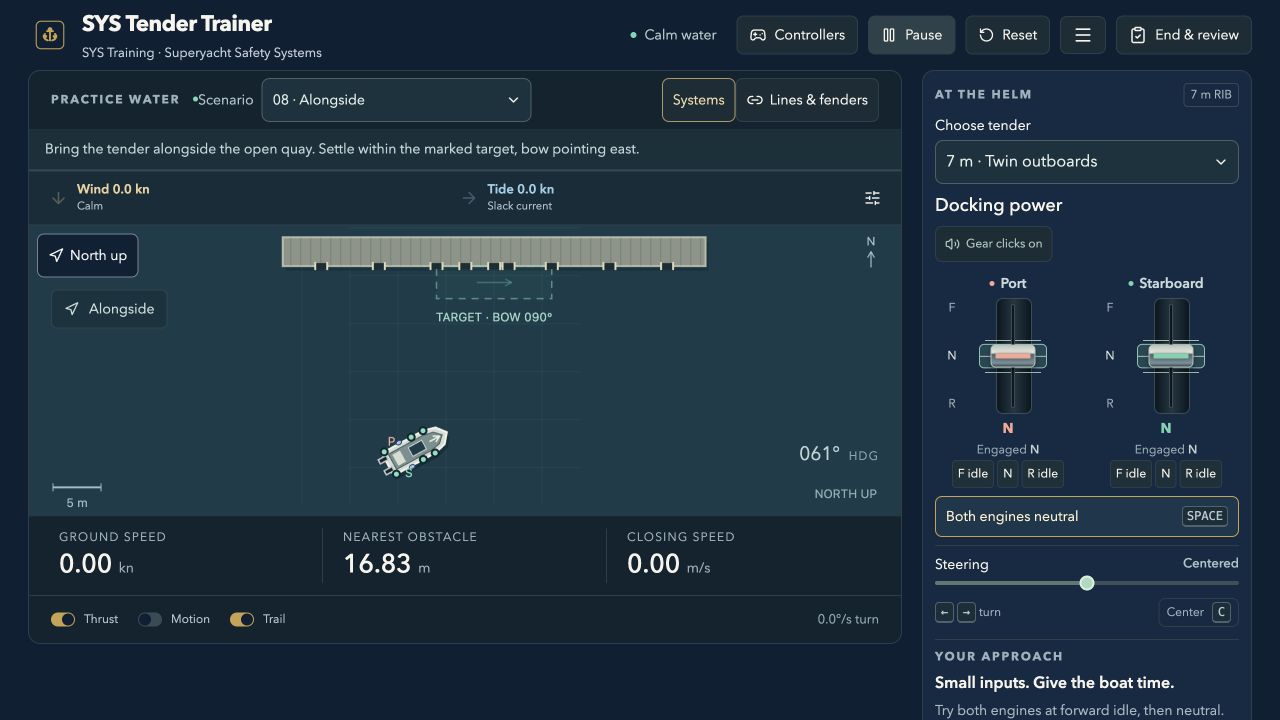
Tender Trainer’s overhead practice view with the tender, quay and handling controls
YOUR NEXT PRACTICE SESSION

Tender Trainer

Four vessel types. Your hands on the helm.

Tender Trainer is available now. The rest of the collection is coming soon. All simulator practice supports supervised learning.

06 trainers · 1 available nowBoat handlingNavigation & watchkeepingDeck operations

FIND YOUR NEXT SKILL

One collection. A more capable crew.

Try Tender Trainer today.
Be notified when the next trainers become available.

Tender Trainer screenshot showing a tender alongside a quay with helm controlsBrowser beta
Boat handling01

Tender Trainer

Take the helm. Practise close-quarters handling, guest transfers and docking in changing conditions.

  • 4 vessel types
  • Guided lessons
  • Career missions
Explore Tender Trainer

Build familiarity with representative single-outboard, twin-outboard and jet tenders, plus a 14 m chaseboat with a bow thruster.

Learning focus Practise controlling momentum and making a controlled tender approach with propulsion and steering.

Start here In the exercise hub, select “Guided lessons · start with stopping”, read the stopping guide, then press Resume to begin.

  • Alongside, marina and stern-first berthing
  • Wind, current, lines and fenders
  • Guest loading and equipment incidents
Open Tender Trainer No account needed
Link to Tender Trainer
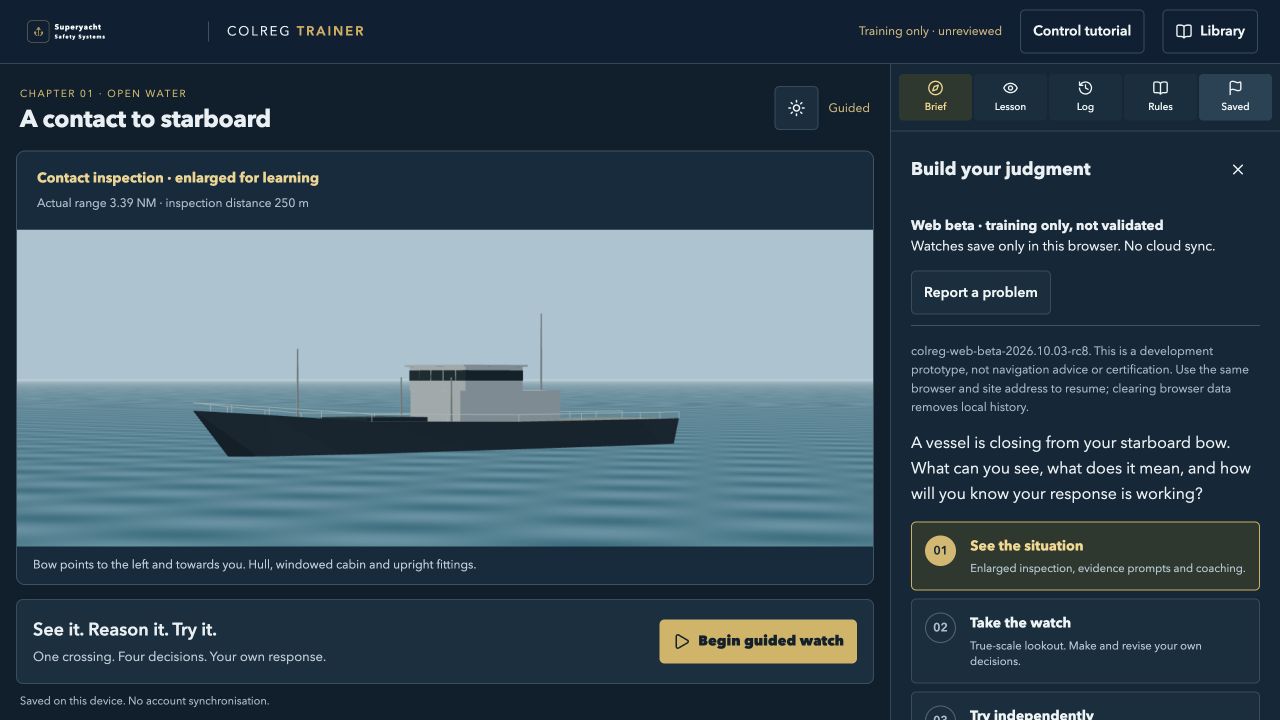
Development preview of COLREG TrainerComing soon
Navigation & watchkeeping02

COLREG Trainer

Practise one open-water crossing: identify the vessel, explain the risk, choose a response and review what happened.

  • 3D crossing watch
  • Day & night
  • Rule library
Explore COLREG Trainer

One authored crossing with day/night views, binoculars, helm controls and target-response variants. Guided, practice and assessment modes vary the support. Unvalidated training beta; progress saves in this browser only.

  • Guided observation and evidence-based decisions
  • Recorded replay and linked practice retries
  • International rule reference and review examples
Link to COLREG Trainer
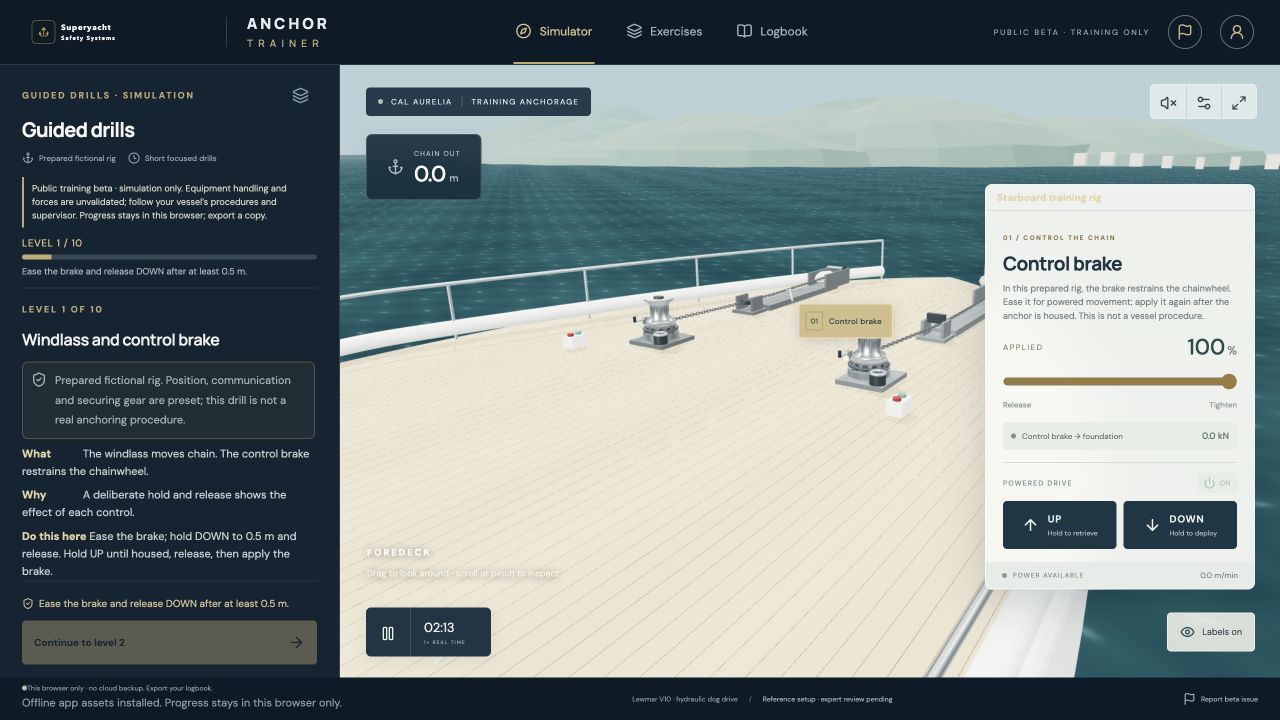
Development preview of Anchor TrainerComing soon
Deck operations03

Anchor Trainer

Build familiarity with anchoring equipment, one guided drill at a time.

  • Guided drills
  • Interactive foredeck
  • Anchor recovery
Explore Anchor Trainer

A developing collection of short drills introduces the windlass, brake and anchoring sequence on a fictional training rig.

  • Machinery familiarisation
  • Deployment and recovery practice
  • Explanations alongside the controls
Link to Anchor Trainer
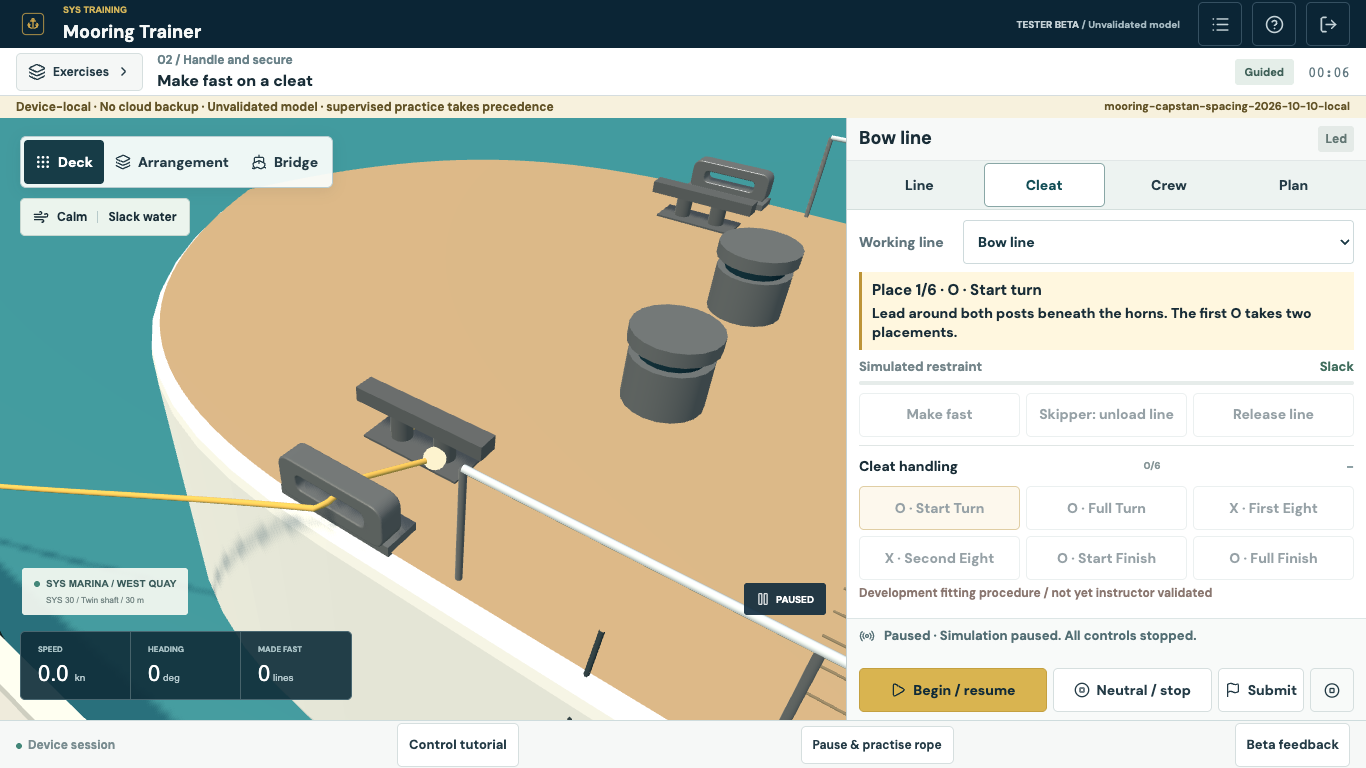
Mooring Trainer preview showing the fairlead mounted at the hull edge and capstans repositioned inboard and aftComing soon
Deck operations04

Mooring Trainer

Bring the whole operation together. Practise line handling, crew coordination and coming alongside.

  • Device-local practice
  • Crew coordination
  • Debrief & replay
Explore Mooring Trainer

Work through mooring operations on a fictional 30 m twin-shaft yacht. Guided, practice and assessment modes share one connected simulation; training content is pending review. Capstan preparation, hauling and powered transfer are withheld in this beta.

  • Deck, arrangement and bridge views
  • Lines, fairleads and fenders; capstan exercises withheld
  • Spring pivots, line loading and crew exposure
Link to Mooring Trainer
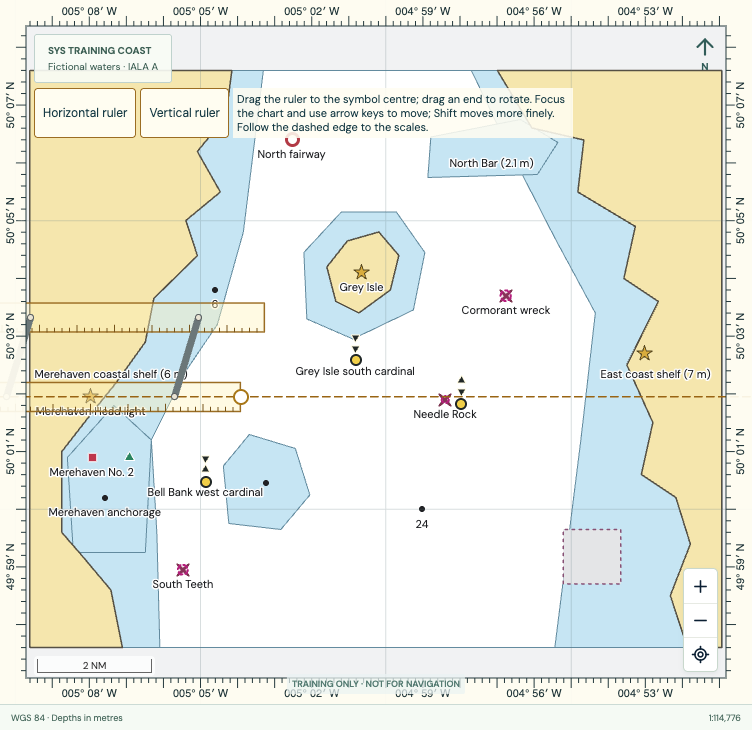
Development preview of Chartwork TrainerComing soon
Navigation & watchkeeping05

Chartwork Trainer

Plot it. Check it. Sail it. Connect paper chart skills with a digital plotter and passage practice.

  • Manual plotting
  • Paper & digital
  • Passage practice
Explore Chartwork Trainer

Learn in fictional SYS Training Coast waters with chart tools, worked solutions and printable exercise packs. Exercises and assessments are awaiting instructor review.

  • Dividers, parallel rulers and plotting tools
  • Waypoints, route editing and clearance review
  • Tide, current, observations and GPS faults
Link to Chartwork Trainer
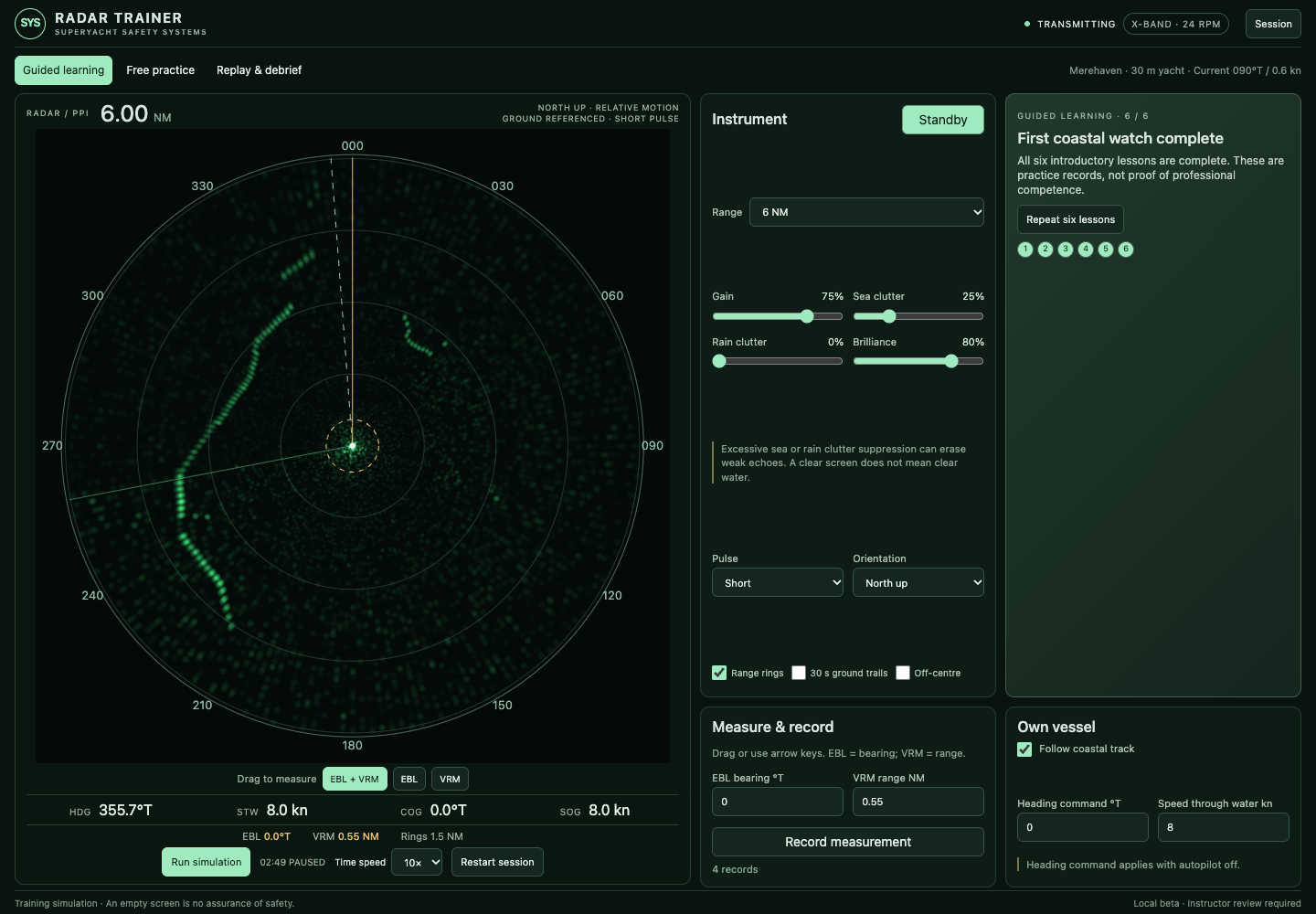
Development preview of Radar Trainer showing a green radar display and instrument controlsComing soon
Navigation & watchkeeping06

Radar Trainer

Learn to read the radar picture. Explore instrument controls, coastal echoes and measurement.

  • Radar controls
  • Range & bearing
  • Guided practice
Explore Radar Trainer

A developing radar simulator set on a fictional training coast. Adjust the display, compare echoes and practise measuring with electronic bearing lines and variable range markers.

  • Range, gain and clutter controls
  • Electronic bearing line and range marker
  • Guided lessons and replay
Link to Radar Trainer

Images show simulator development previews; final interfaces may change. Only Tender Trainer is currently available.

BE FIRST TO KNOW

Your next skill.
In your inbox.

Choose a trainer and we’ll email you when it becomes available.

FROM SCREEN TO SUPERVISED PRACTICE

Make practice part of the routine.

Use a scenario to start a crew discussion, revisit an unfamiliar skill or prepare for your next practical session.

Talk to us about crew training
  1. 01

    Choose a skill

    Pick the simulator and focus for your session.

  2. 02

    Practise with purpose

    Explore the controls, conditions and decisions.

  3. 03

    Discuss. Then take it on board.

    Review with your crew and apply it under supervision.

GOOD TO KNOW

Before you jump in.

Which simulators can I try now?

Tender Trainer is available as a browser beta. Anchor, Mooring, COLREG, Chartwork and Radar are coming soon. Sign up above to hear when your selected trainer becomes available.

Do I need an account?

Tender Trainer needs no account or SYS Bridge connection. Progress belongs to this browser profile on this device: there is no cloud backup or cross-device sync. Shared browser profiles may share progress. Use the app’s available backup tools before clearing browser data.

Will my Tender Trainer progress be saved?

Career progress is stored in this browser for this website address. It does not sync between devices. In Career → Your save, use Export career to keep a backup and Import career to move it to another browser or device. Clearing browser data can remove your progress.

Does simulator practice count as a qualification?

No. These simplified simulators support supervised learning. They are not certified simulators, approved courses or proof of competence. In-app assessments and achievements recognise simulator progress. Follow vessel-specific procedures and qualified instruction for real operations.