technical record levels
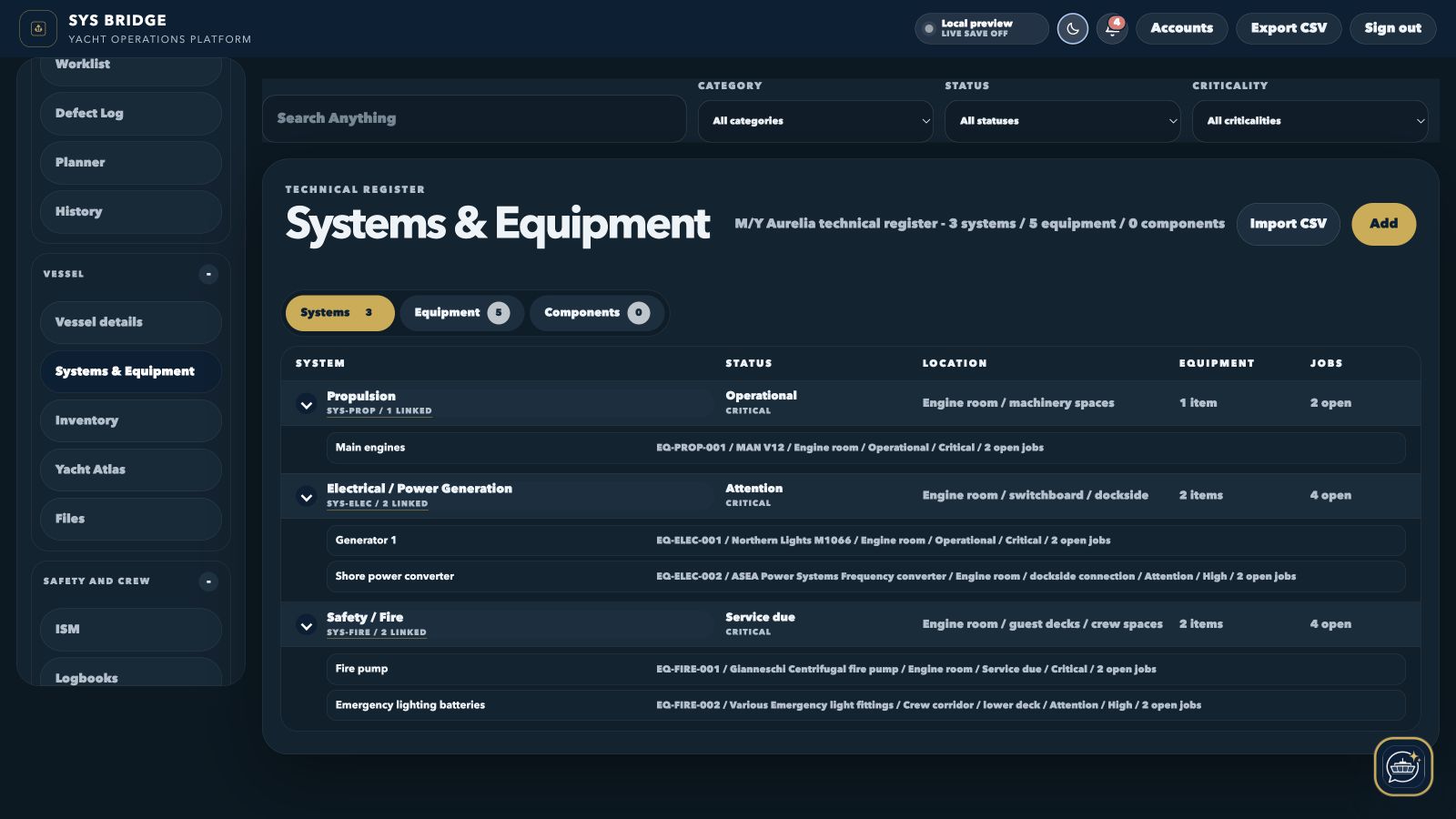
Systems, equipment and components each have a focused register and expandable relationships.
SYS Bridge / Maintenance management
Build a practical technical register for the yacht, then keep jobs, recurring checks, manuals, photographs and maintenance history connected to the asset that owns them.
Current product interface
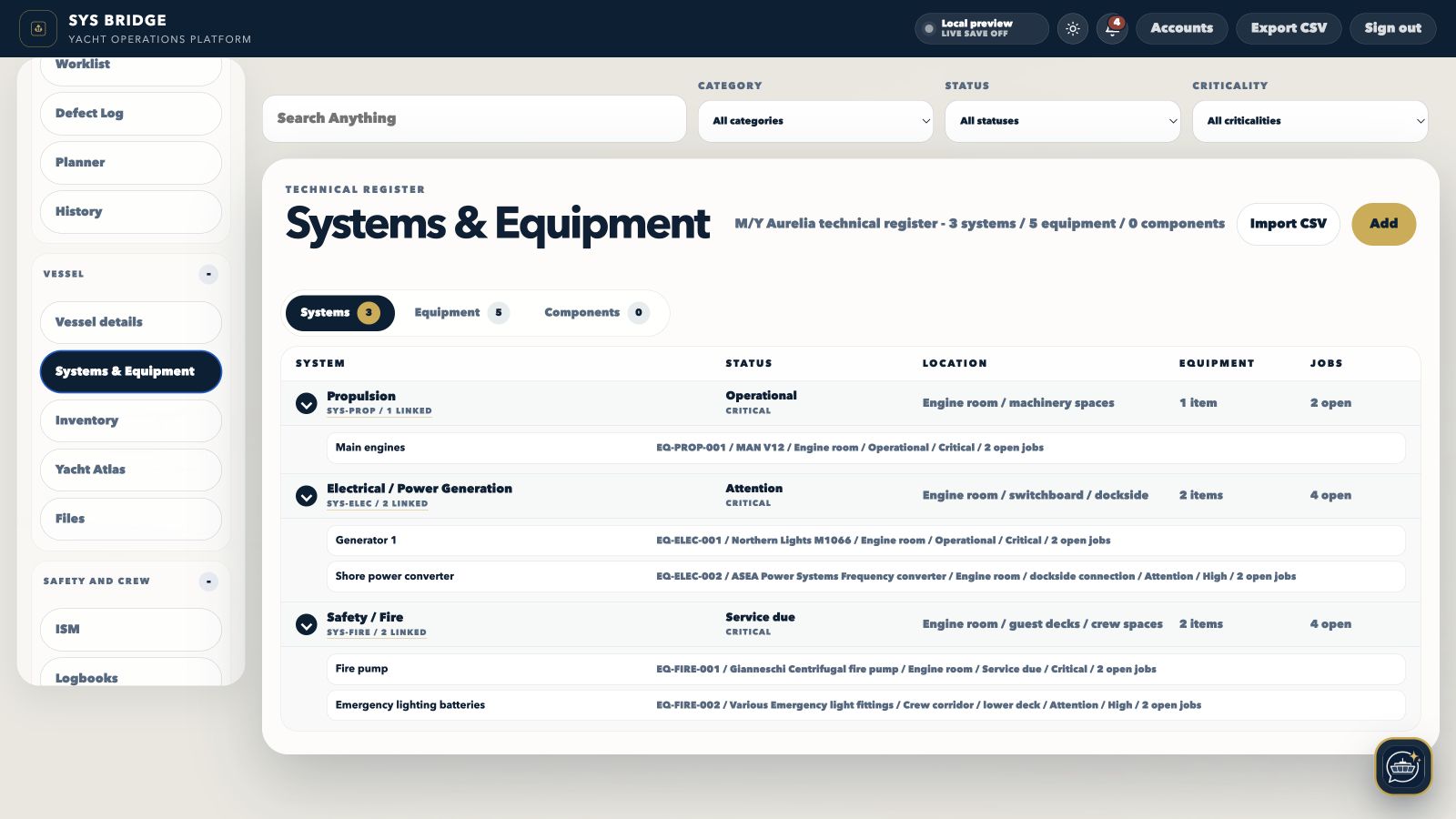
Both views show the current SYS Bridge desktop product populated with local sample yacht information, not a recreated marketing mockup.
Implementation evidence
These figures describe the populated local preview shown above. They are product evidence, not performance claims.
Systems, equipment and components each have a focused register and expandable relationships.
Jobs, checks, files, photographs and history stay available from the asset that owns them.
The current populated technical workspace is shown in both light and low-light desktop modes.
What it covers
The module is designed to stay compact at register level and reveal the complete working record only when a user opens it.
Organise the vessel as systems, equipment and components with codes, criticality, status, locations and manufacturer details.
System views reveal their equipment; equipment views reveal components, linked jobs, recurring checks, files, photos and history.
Service dates, manuals, certificates, defects and maintenance work stay attached to the asset instead of being scattered across folders.
Search the technical register directly or use Bridge Mate to return to a permitted system, equipment record, job or file.
Representative implementation example
Representative implementation example using local M/Y Aurelia preview data. It is not a customer testimonial or a guaranteed result.
The M/Y Aurelia preview represents a vessel with systems, equipment, recurring checks and job records that need to be understood together.
The hierarchy gives each asset a code, location and relationship to its jobs, files and maintenance evidence while retaining compact top-level registers.
The preview shows how a user can move from a system to its equipment and supporting work without relying on separate folders or duplicate lists.
Operational workflow
Engineering teams and yacht managers who need a usable technical database rather than a list of unrelated maintenance tasks.
Create the yacht's system, equipment and component structure.
Attach manuals, certificates, drawings, jobs and recurring checks.
Review status, due work, open jobs and evidence from the asset page.
Keep technical history available for crew handover, service and refit planning.
Built around the people using it
The same yacht data can support different decisions without giving every account the same level of access.
Chief engineer
Keep equipment, components, service evidence and open work in one operational structure.
Captain
See critical assets, active work and due checks without navigating engineering spreadsheets.
Relief crew
Use codes, locations, files and retained history to reduce knowledge loss during handover.
Connected modules
Move between related SYS Bridge modules without separating the asset, person, evidence or history that gives the record meaning.
Questions
Practical answers about how this part of SYS Bridge works.
SYS Bridge supports onboard organisation and record keeping. Vessel owners, captains, managers and relevant authorities retain responsibility for operational decisions and compliance.
Yes. The technical register supports all three levels and lets users switch between compact System, Equipment and Component views.
Yes. Jobs can be connected to the relevant system and equipment, with asset files and history available from the same record.
Yes, subject to their permissions. Files and asset records are searchable directly and can be returned as Bridge Mate source cards.
Per-yacht subscription
No separate crew-seat charge. Annual billing is US$2,490; onboarding is scoped from US$2,500.